Aqua and Green
Contrasting color combination with 3.65:1 contrast ratio
Color Values
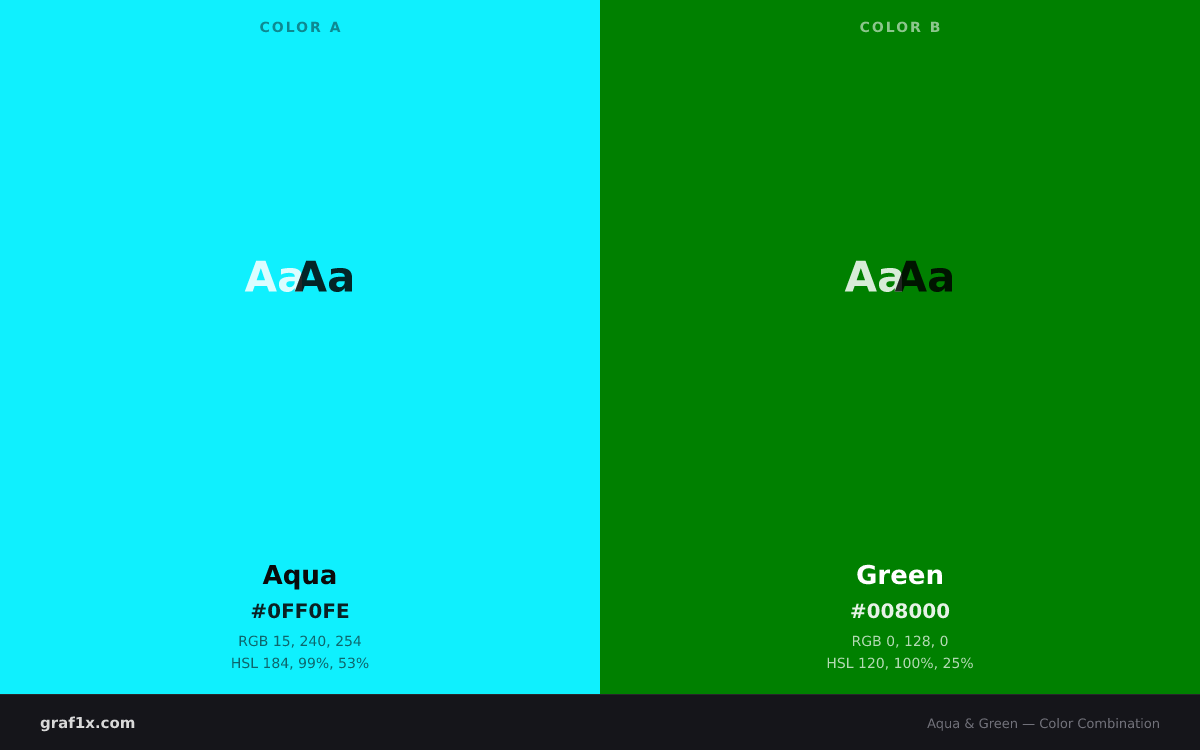
#0FF0FE15, 240, 254184, 99%, 53%#0080000, 128, 0120, 100%, 25%Harmony: Contrasting
These colors sit far enough apart on the wheel to create clear contrast without falling into a named harmony. The pairing works through difference rather than relationship, which suits designs that want variety over cohesion.
The hue angle between Aqua and Green is 64 degrees. You can explore these relationships interactively in our Color Wheel Tool.
WCAG Contrast
UI Preview
Aqua surface
Sample text on a aqua background demonstrates readability and visual hierarchy.
Green surface
Sample text on a green background demonstrates readability and visual hierarchy.
Design Tokens
CSS Variables
:root {
  --color-a: #0FF0FE;
  --color-b: #008000;
  --color-a-rgb: 15, 240, 254;
  --color-b-rgb: 0, 128, 0;
}
JSON
{
  "name": "Aqua and Green",
  "colors": [
    {
      "name": "Aqua",
      "hex": "#0FF0FE",
      "rgb": [
        15,
        240,
        254
      ]
    },
    {
      "name": "Green",
      "hex": "#008000",
      "rgb": [
        0,
        128,
        0
      ]
    }
  ],
  "harmony": "Contrasting",
  "contrastRatio": 3.65
}
Related Combinations
Frequently Asked Questions
Do aqua and green go together?
Yes. Aqua and Green form a contrasting color combination. These colors sit far enough apart on the wheel to create clear contrast without falling into a named harmony. The pairing works through difference rather than relationship, which suits designs that want variety over cohesion. The pairing has a WCAG contrast ratio of 3.65:1, which passes AA for large text but not for body text.
What is the contrast ratio between aqua and green?
The WCAG 2.1 contrast ratio between Aqua (#0FF0FE) and Green (#008000) is 3.65:1. This passes AA for large text (18pt+ or 14pt+ bold) but not for normal-sized body text.
How do I use aqua and green in design?
A safe starting point is the 60/30/10 rule: give one color about 60 percent of the surface area, the other about 30 percent, and reserve the remaining 10 percent for an accent or neutral. If one color is significantly darker, use it for text or structural elements and the lighter one for backgrounds. Test the result with our Contrast Checker if text is involved.
What are the hex and RGB values for aqua and green?
Aqua has the hex code #0FF0FE and RGB values rgb(15, 240, 254). Green has the hex code #008000 and RGB values rgb(0, 128, 0). You can copy these directly into CSS or use the design tokens provided on this page.